The swipe keyboard for iPhone
Swipe a word. It learns you.
Glide across the letters and lift. An on-device neural model reads the shape, and every word you type teaches SwishKey your vocabulary, your phrases, and your hand.
- Neural decoding on device
- Learns as you type
- Imports your field’s words
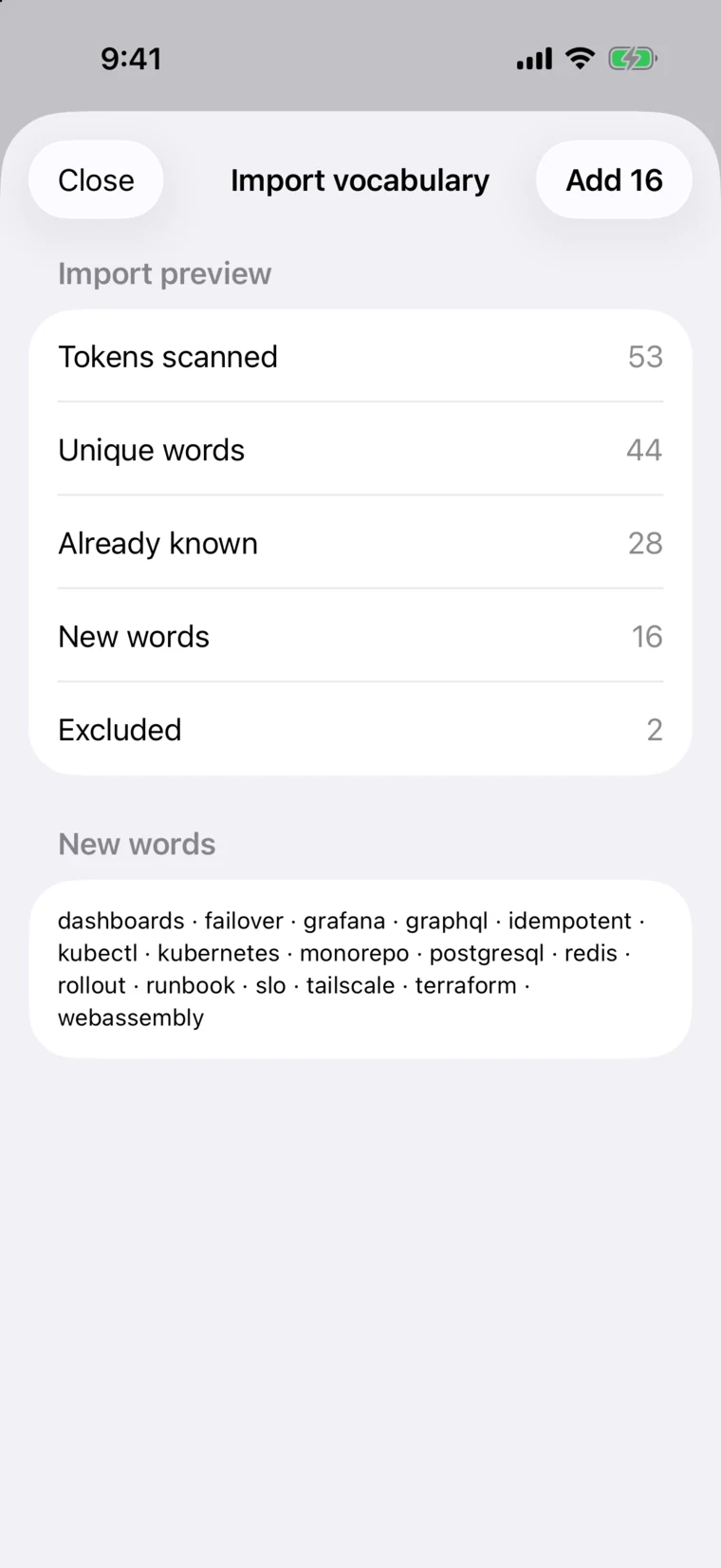
Import the vocabulary of your work, for example kubernetes, tachycardia, estoppel, eigenvalue, amortization, metoprolol, terraform, subpoena, mitochondria, chiaroscuro, idempotent, echocardiogram.
Try it here
Draw a word. Watch it land.
Drag across the keys with your mouse or finger, then let go. Tap a suggestion to swap the word, or delete it in one press, just like on the iPhone.
This browser demo matches your path against 530 everyday words. SwishKey on iPhone uses a neural model, a 45,090-word dictionary, sentence context, and everything it has learned about you.
- Suggestions appear here
Personal by design
Every swish teaches it something.
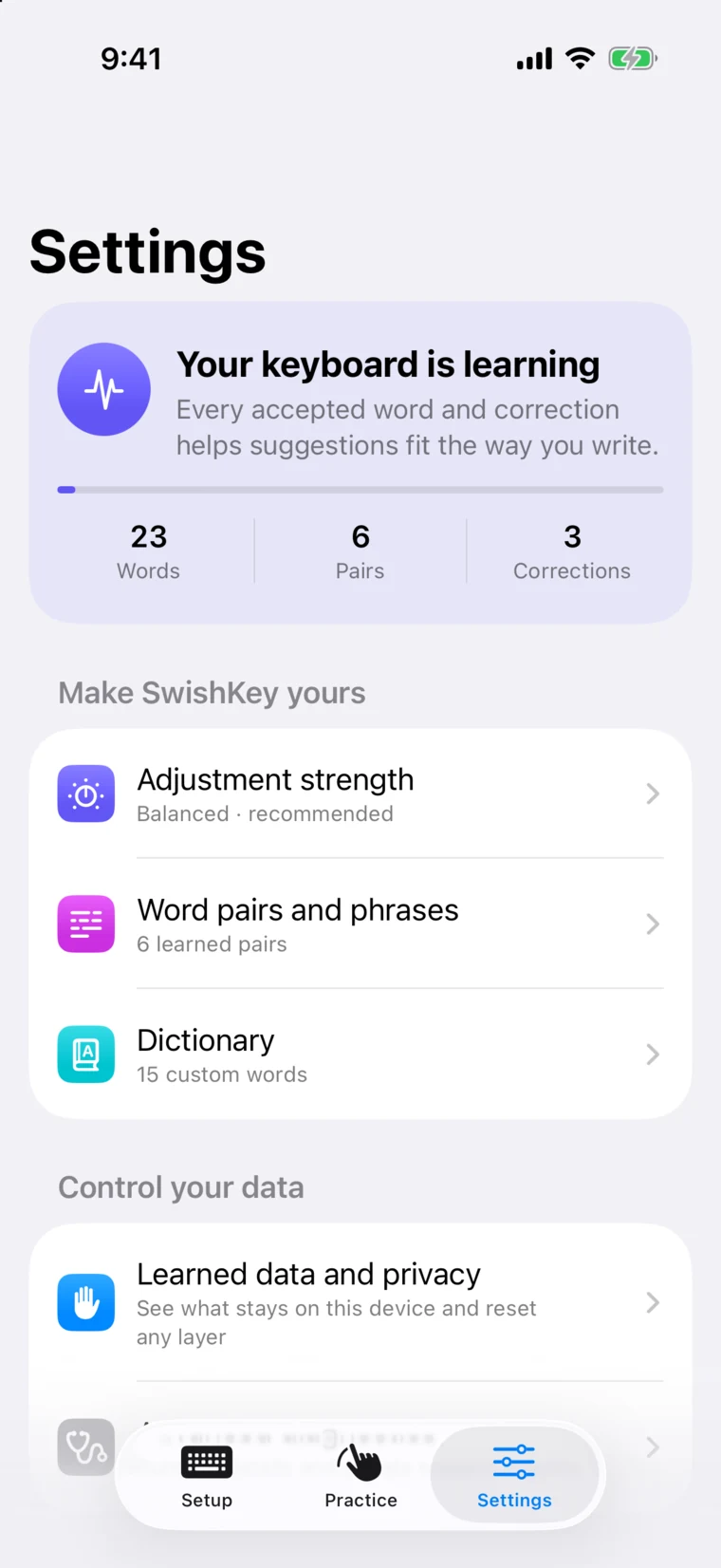
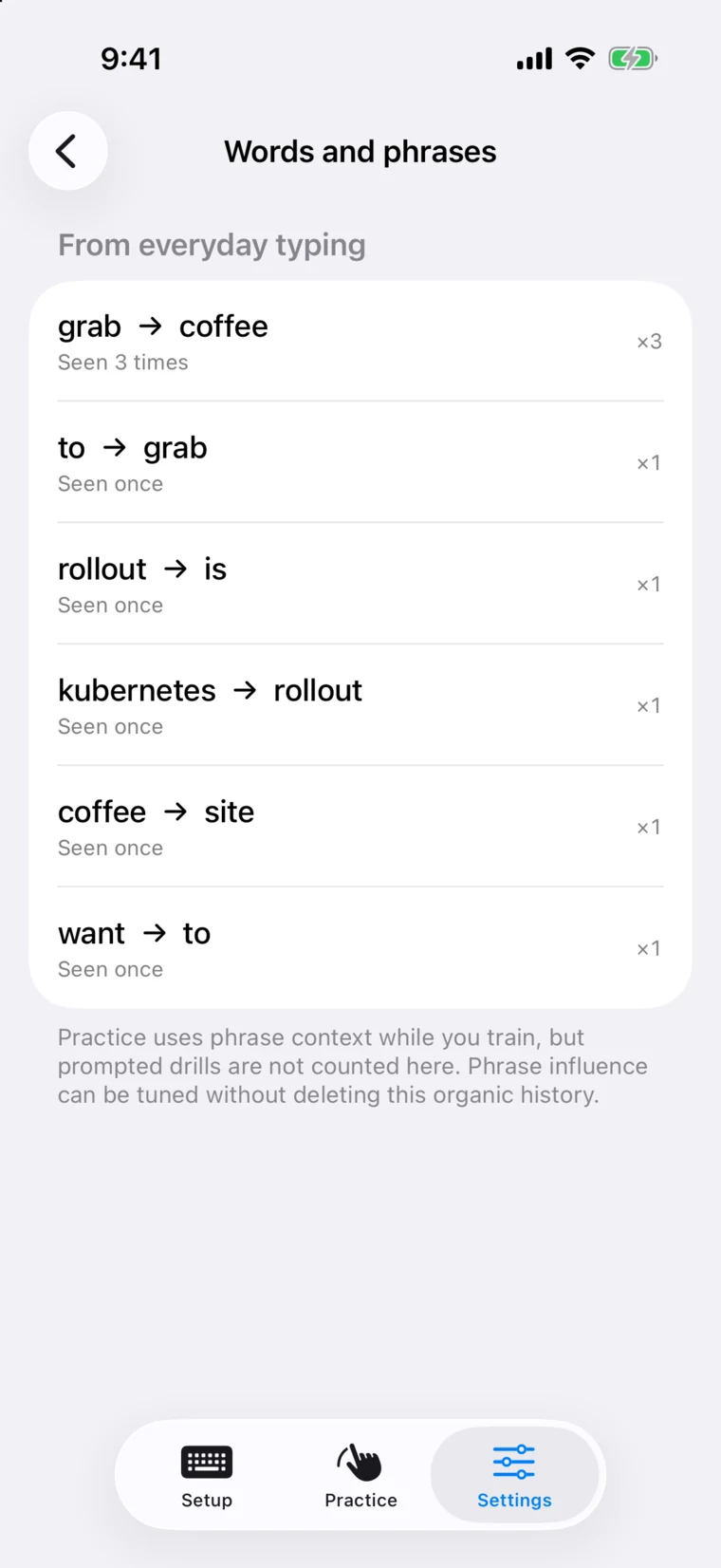
Each word you accept, each correction you make, and each phrase you repeat updates SwishKey’s picture of how you write. The longer you use it, the more it fits you.
Your words
Words you use often rise to the top of the bar. A new word you type twice becomes one you can swipe.
Your phrases, in context
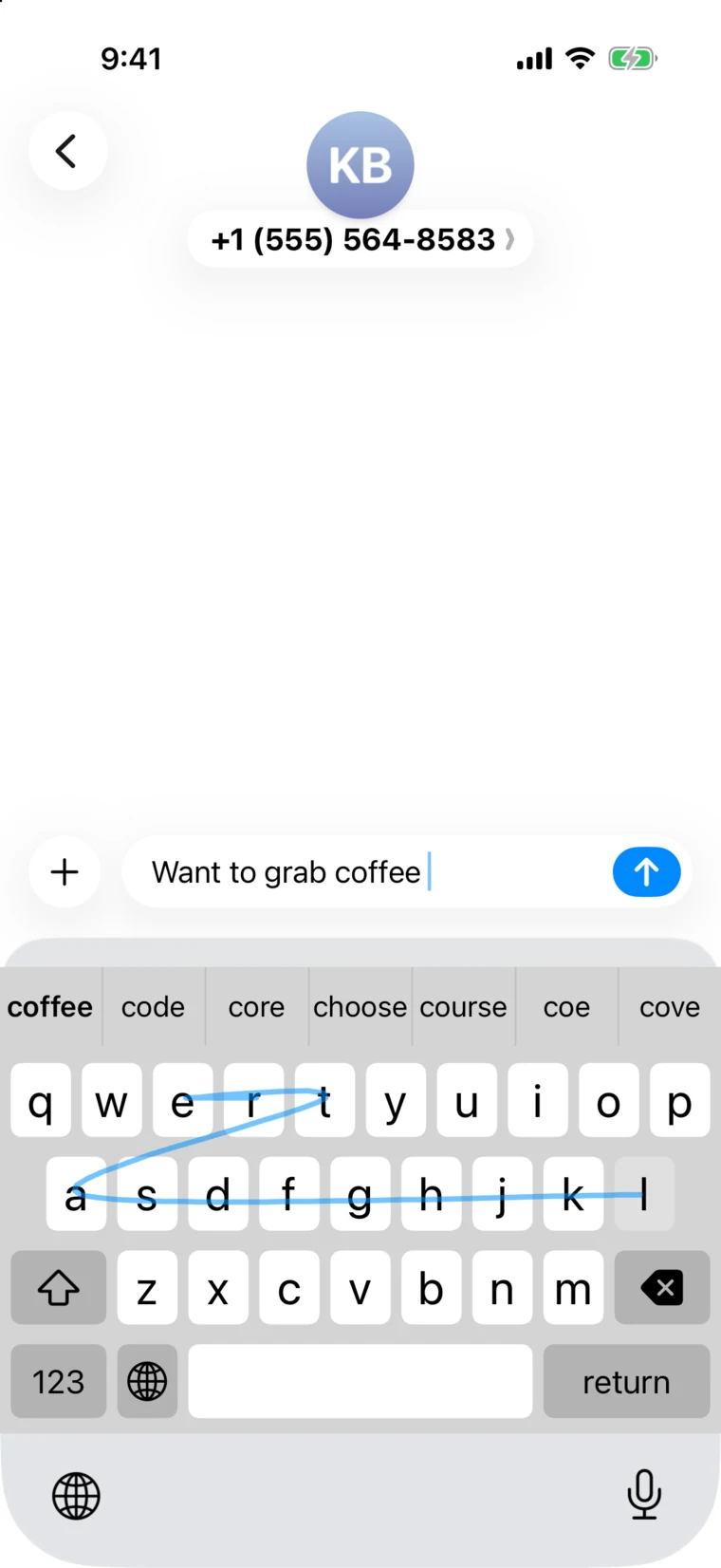
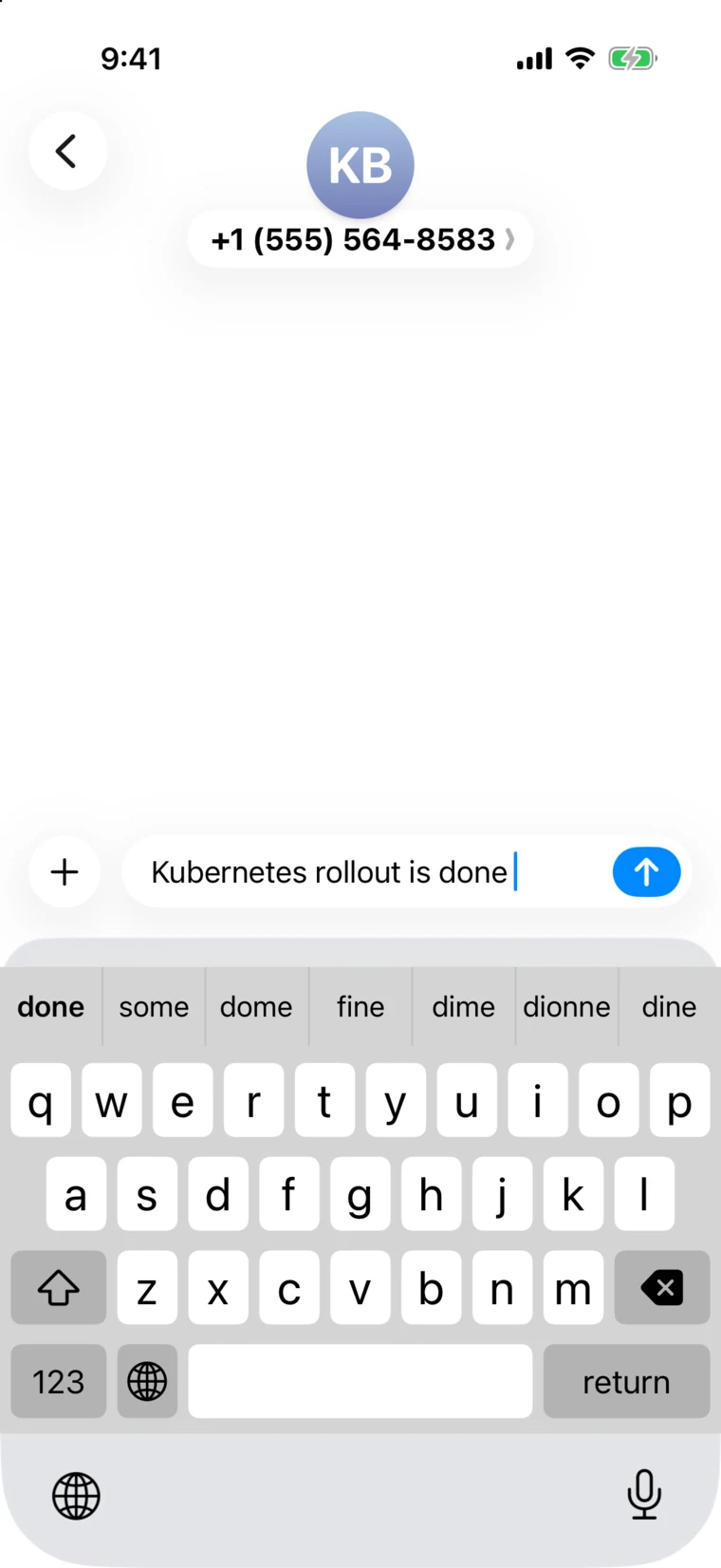
It remembers which words you put together and reads the sentence you’re writing, so “grab” leans toward “coffee” when that’s what you say.
Your corrections
Pick another word from the bar and SwishKey remembers the swap. The next time that shape comes up, it leans toward what you meant.
Your hand
It calibrates to how you actually touch: per-key offsets from your taps and a gesture transform fitted to your swipes.
Your vocabulary
Speak your field from day one.
Paste a document, a glossary, or your notes, or load a .txt or .csv word list. SwishKey scans it on your iPhone, shows exactly which words are new, and adds them to your dictionary in one tap.
- 1 Paste text or choose a file up to 5 MB.
- 2 Review the preview: words scanned, already known, and new.
- 3 Add them, then swipe them like any other word.
- Developers
- Clinicians
- Lawyers
- Researchers
- Engineers
- Students
Only words missing from the built-in dictionary are added. The original text and its phrase order are never saved.
Under the hood
A neural decoder in your pocket.
A Rust engine and a Core ML model turn a scribble into the word you meant, on your iPhone, in the time it takes to lift your finger.
- 2–3 ms
- for the on-device neural encoder to read a swipe
- 45,090
- words built in, plus every word you teach it
- 2M
- two- and three-word phrases in its sentence-context model
- ≈67 ms
- average time to decode a swipe, measured on iPhone 15 Pro Max
- 01
Trace
Your path is sampled as you move, then evened out, so a quick flick and a slow glide through the same letters look alike.
- 02
Read
A compact neural encoder, run by Core ML on your iPhone, reads the shape and scores every letter along the way.
- 03
Search
A beam search walks the dictionary letter by letter while a shape matcher checks the 800 words whose ideal paths best fit yours.
- 04
Weigh
A million word pairs and a million word triples score each candidate against your sentence, then what SwishKey has learned about you tips the balance.
- 05
Land
The best word lands with a space. Alternatives wait in the bar, five of them, seven when it’s unsure. Tap one to swap.
Adjustment strength
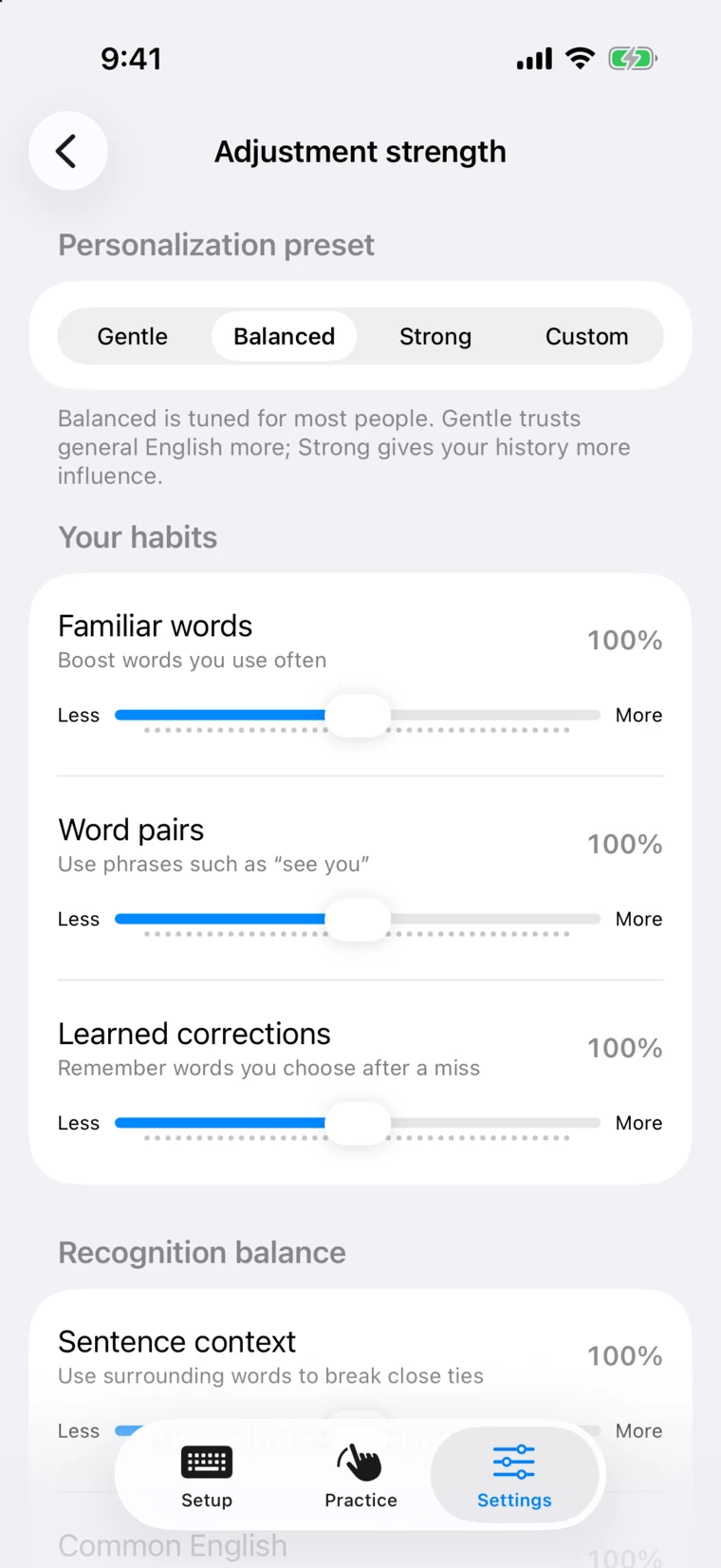
You decide how much it adapts.
Balanced suits most people. Gentle trusts general English more; Strong gives your own history more say. Or set each influence yourself.
Practice
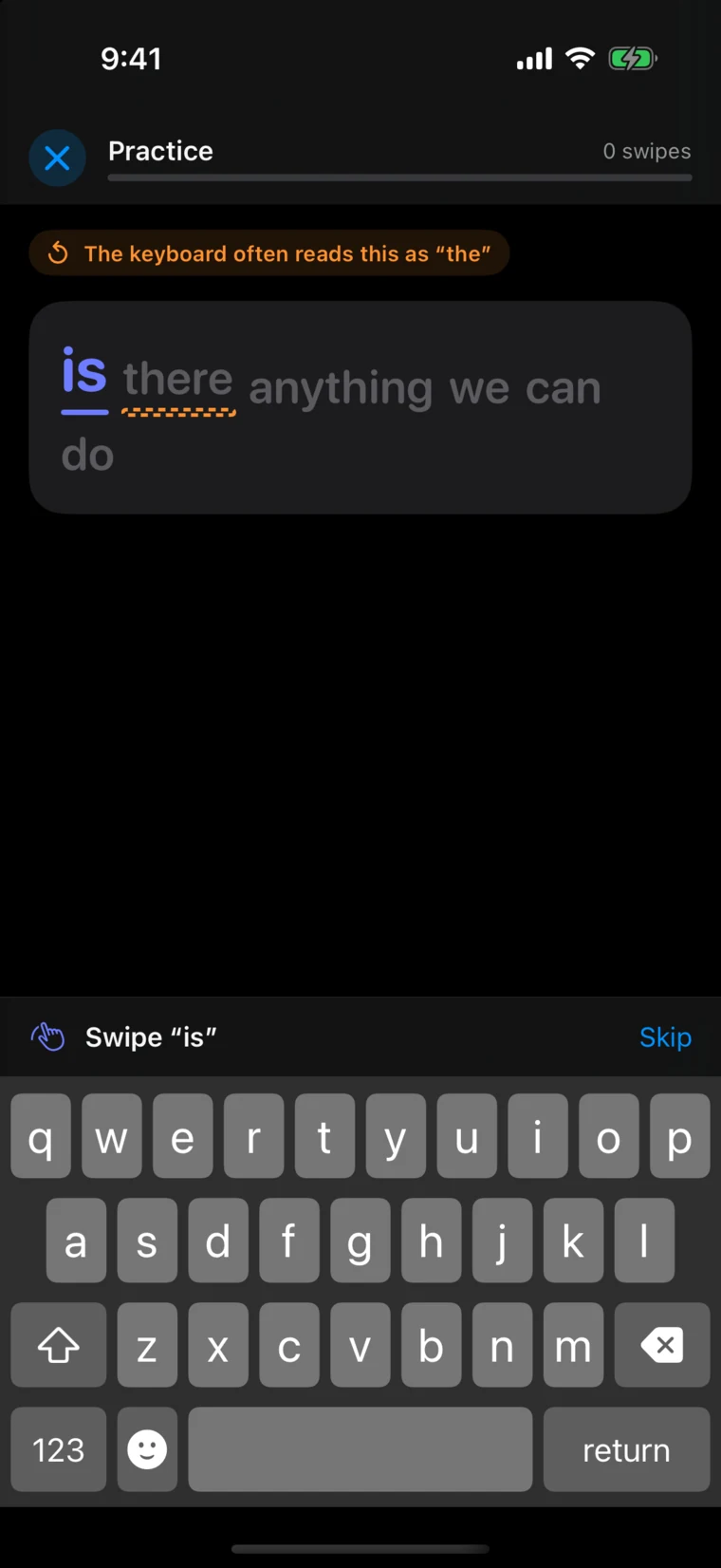
Practice that trains the keyboard, not you.
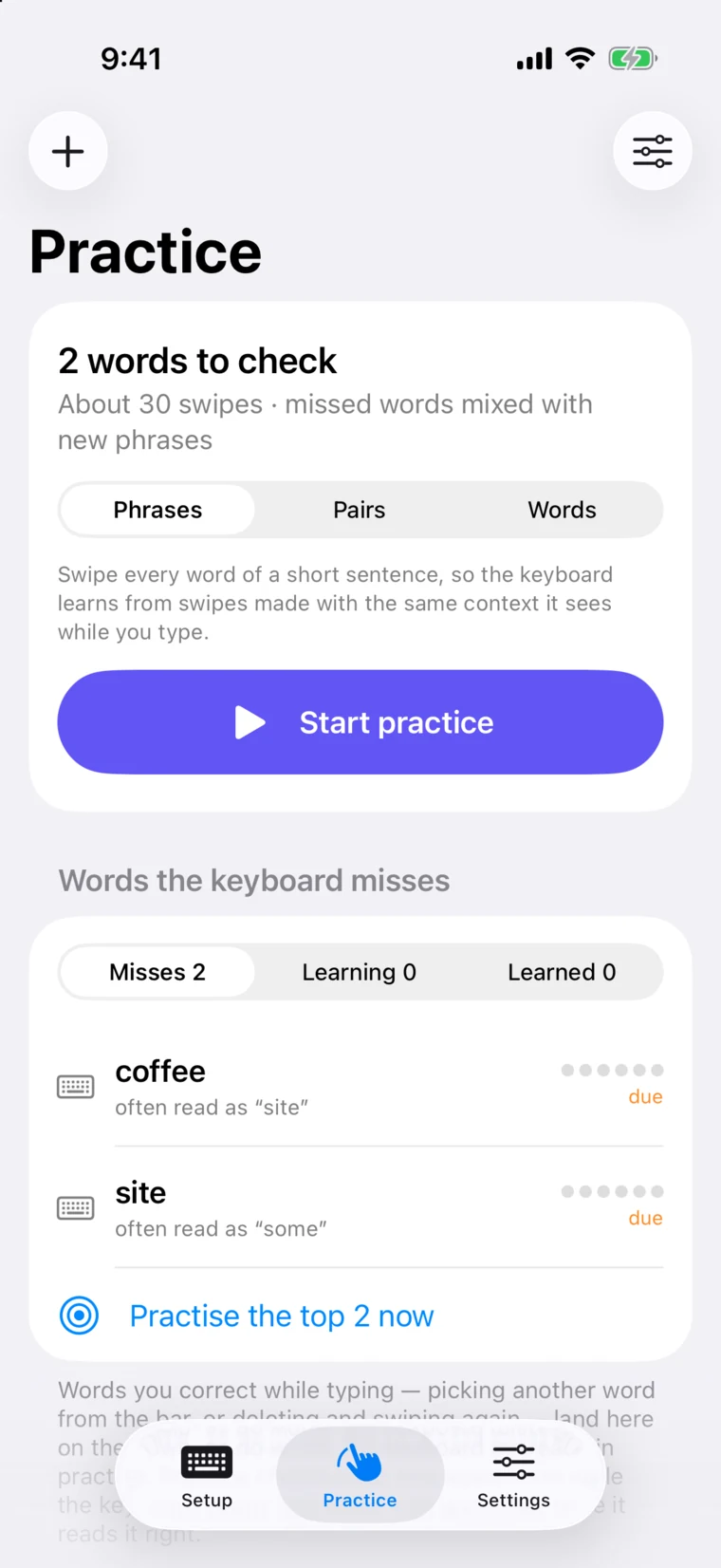
SwishKey keeps a deck of the words it misreads for you, from the corrections you make while typing. Short sessions work each one into natural phrases, and every repeat gives it another example of your swipe.
- Missed words mixed with new phrases from a bank of 22,762
- Look-alikes practised together, like “there” and “the”
- Sessions of 15 to 100 swipes, with stats for words read right the first time
Each word comes back on a spaced schedule
- 10 min
- 1 day
- 3 days
- 7 days
- 21 days
- 60 days
Private by design
Everything it learns stays on your iPhone.
The neural model, the dictionary, and your history all live on the device. SwishKey learns in a private container shared only by the keyboard and its app, and imported text is processed there and discarded.
Read the privacy detailsReset any layer, any time
- Word and phrase history
- Custom dictionary
- Learned corrections
- Touch adaptation
- Confidence adjustments
- Or reset all personalization at once
How do I get SwishKey?
Tap the App Store or Google Play badge and leave your email. We’ll send one note when SwishKey is ready for your phone.
How does it learn the way I type?
Every word you accept updates how often you use it, every pair of words you type together is remembered as context, every word you pick from the bar after a miss becomes a learned correction, and taps and swipes calibrate touch offsets and a gesture transform to your hand. You can see the counts grow in Settings.
Can it learn technical or professional vocabulary?
Yes. Paste a document or glossary, or choose a .txt or .csv file up to 5 MB. SwishKey scans it on your iPhone, shows you which words are new, and adds them to your dictionary. You can also add single words, and words you type twice are learned on their own.
How much should it adapt?
Choose Gentle, Balanced, or Strong, or set each influence yourself: familiar words, word pairs, learned corrections, sentence context, and common English.
Why does it ask for Full Access?
The keyboard and the SwishKey app share what it learns through a private container on your iPhone. iOS calls that Full Access. Your typing history stays in that container on the device.
Can I still tap to type?
Yes. Tap typing works too, with completions as you type, next-word suggestions after each space, and a delete key that removes a whole swiped word in one press.
Which languages does it support?
English, on a QWERTY layout, in light and dark mode.

Teach your keyboard your words.
Pick your store and we’ll let you know when SwishKey is ready.